City Maps Digital Paper for Designers
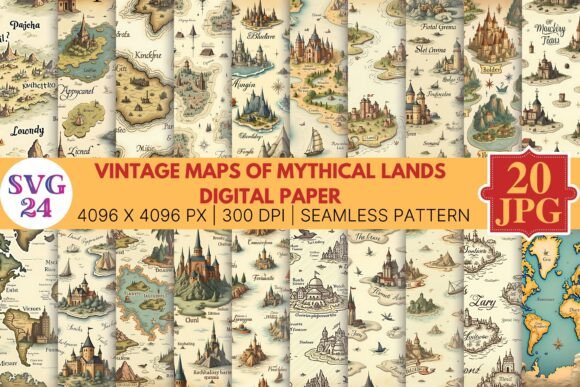
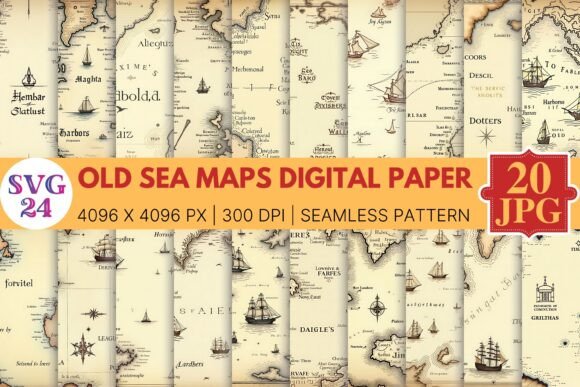
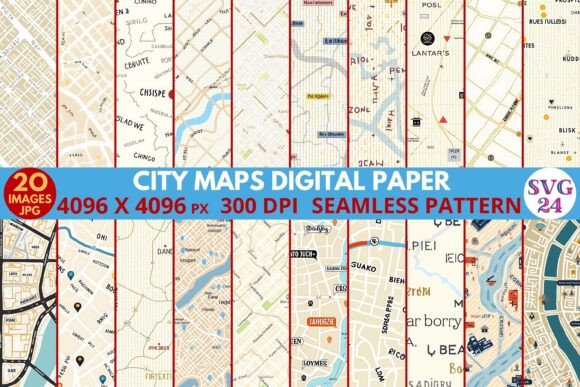
Imagine opening a design project and instantly having access to twenty meticulously crafted, high-resolution map-inspired backgrounds that transform any surface into a visual journey. That is exactly what you get with the City Maps Digital Paper collection—a set of seamless pattern files designed for graphic designers, brand builders, and creative professionals who demand both style and substance. Each paper measures 4096 x 4096 pixels at 300 dpi, ensuring crisp reproduction across print and digital media. Whether you are crafting packaging, building a social media campaign, or assembling a scrapbook, these assets bring a modern, urban aesthetic that feels both sophisticated and versatile.
What Makes City Maps Digital Paper a Valuable Creative Asset?
From a professional standpoint, the value of a digital paper pack lies in its ability to save time while delivering consistent, high-quality results. The City Maps collection offers exactly that: ready-to-use JPG files that work seamlessly in Photoshop, Illustrator, Canva, or any design tool that supports raster images. The 300 dpi resolution means you can scale them for large-format prints without losing detail—ideal for posters, banners, or even fabric patterns. Because the patterns are seamless, you can tile them endlessly without noticeable breaks, making them perfect for background textures on websites, packaging wraps, or repeating wallpaper designs.
Beyond technical specs, the visual language of city maps brings an inherent narrative to your work. The interplay of streets, blocks, and organic urban layouts creates a sense of exploration and connectivity. This makes the papers particularly effective for branding projects where you want to evoke movement, community, or a global perspective. For example, a logistics startup could use these patterns to reinforce speed and network reach, while a travel magazine might use them as subtle editorial backgrounds.
Practical Applications in Branding and Marketing
In brand identity work, choosing the right background texture can elevate a logo or typography from flat to memorable. Using City Maps Digital Paper as a backdrop for business cards, stationery, or product labels adds a layer of storytelling without overwhelming the main design. The grid-like nature of maps also works well for infographics, allowing data points to sit on a structured yet organic surface. For social media graphics, the patterns reduce visual noise when paired with bold typography, helping your call-to-action stand out while maintaining a cohesive brand palette.
- Packaging design: Wrap boxes, bags, or sleeves with map patterns to give products a distinctive, travel-inspired look.
- Web and UI backgrounds: Use subtle map textures behind hero sections or landing pages to add depth without distracting from content.
- Print collateral: Flyers, brochures, and posters benefit from the high resolution and scalability of 4096px files.
- Digital scrapbooking and papercraft: The seamless repeat makes them ideal for digital layers in scrapbooking layouts or printable party decorations.
Typography, Color, and Visual Hierarchy Considerations
When incorporating map patterns into your designs, pay attention to contrast and readability. Because map textures contain intricate linework, pairing them with clean sans-serif typefaces (like Helvetica, Montserrat, or Futura) usually yields the best results. Use dark overlays or semi-transparent color washes if you need to place text directly on the pattern. The collection includes a variety of colorways—likely ranging from subtle neutrals to bolder tones—so you can match them to your existing brand identity. For editorial layouts, consider using the maps as full-page backgrounds behind sidebars or pull quotes; the visual hierarchy will guide the reader’s eye naturally.
Another factor is consistency. If you are using multiple patterns across a project (say, different pages of a brochure), stick to patterns with similar line densities or color temperatures. This creates a cohesive experience. The 20-paper pack gives you enough variety to differentiate sections while maintaining an overarching urban theme. For UX designers, these patterns can serve as placeholder textures during prototyping or as final backgrounds for splash screens, as long as they align with the brand’s personality.
Tips for Selecting and Using Digital Papers Effectively
- Check resolution early: At 4096px wide, these files are large enough for most commercial print jobs, but always test scaling in your layout software to ensure crisp edges.
- Layer with solid shapes: Use a semi-transparent overlay or a colored rectangle behind your main content to improve readability while preserving the texture.
- Stay on-brand: If your brand uses a specific color palette, apply a gradient mapping or hue/saturation adjustment to the pattern to match.
- Consider physical prints: Because these are digital files only, no product ships—so you retain full control over how and where you print. Use them for merchandise, party packs, blog backgrounds, or even custom wrapping paper.
The beauty of a resource like City Maps Digital Paper lies in its flexibility. It supports both the creative flow of an individual designer and the systematic needs of a marketing team. When you’re building a presentation deck or designing a website hero section, having a trusted set of backgrounds at 300 dpi eliminates the last-minute scramble for suitable textures. And because the patterns are seamless, they work just as well for tiled backgrounds on a blog as they do for large-format prints in a retail environment.
Ultimately, thoughtful design choices—whether in typography, color, or texture—determine how an audience perceives your message. A well-selected map pattern can convey groundedness, adventure, or precision. With 20 high-quality JPG files in this collection, you have the freedom to experiment across projects while maintaining a professional finish. That kind of resource is what turns a good layout into an engaging visual experience.